
Patron Self Service & Waitlists: working together for you!
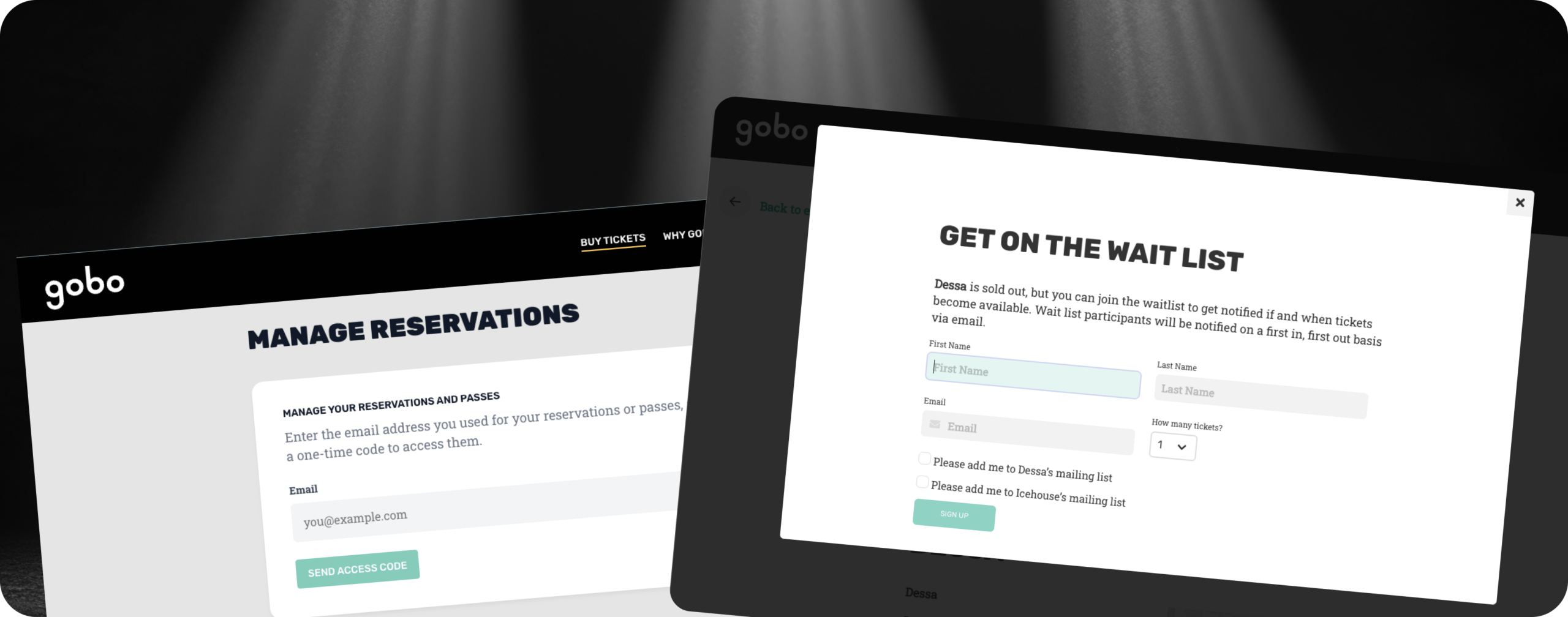
Patron Self Service is here! Gobo reservation holders can now handle the three most common requests our team gets: resend a lost confirmation email, move a reservation to another performance, and cancel a reservation. The best part is, your patrons don’t need to download an app or create another login just to make simple changes.
All patron self service functionality is secured using a one time access code emailed to the patron. Once in, they can see their upcoming reservations, manage passes (more coming about this soon!), and manage their reservations as needed. And as with all Gobo functionality, it works just as well on mobile as on desktop.
Email inboxes are crowded these days, and weeks often go by between when a reservation is made and the day or night of the event. One click allows a patron to resend the confirmation email to their inbox, complete with any custom content you have configured. You can still resend this email from our organizer app, but our patron self service means you only need to be hands on with the patrons that truly need it.
Life happens. We get that. And if a patron can’t make a performance, they can cancel the reservation- assuming of course you’ve allowed cancelations on the event. We highly recommend you do: events with cancelation policies see much lower chargeback rates, saving you money (we’ll do another post on chargebacks soon).
And for events with multiple performances, patrons can move their reservations to another night if needed, assuming inventory exists at the same price tier level. We get this request a lot, and allow moves allows you to keep a customer AND potentially sell another reservation to what ever night they left open.
Finally, there’s our improved waitlist functionality. We’ve had waitlists for a while now, but our waitlists are now completely automated. They collect patron info, number of desired tickets, and nights the patron can attend (if applicable). They also give you another opportunity to collect optins for marketing content. When enabled, the waitlist turns on automatically when your event is sold on. As cancelations come in, the freed up inventory is offered to patrons on the waitlist in the order they came in.
And yes, you can disable waitlists, but why would you? Waitlist allow you to not only quantify excess demand, but to turn it into contacts for marketing future shows to. Patrons get flexibility and reservations at face value, and you get future customers.
As always, we love feedback. Check out these new features and tell us what you think or how you’d like them improved.